01
Create or sign in to your account
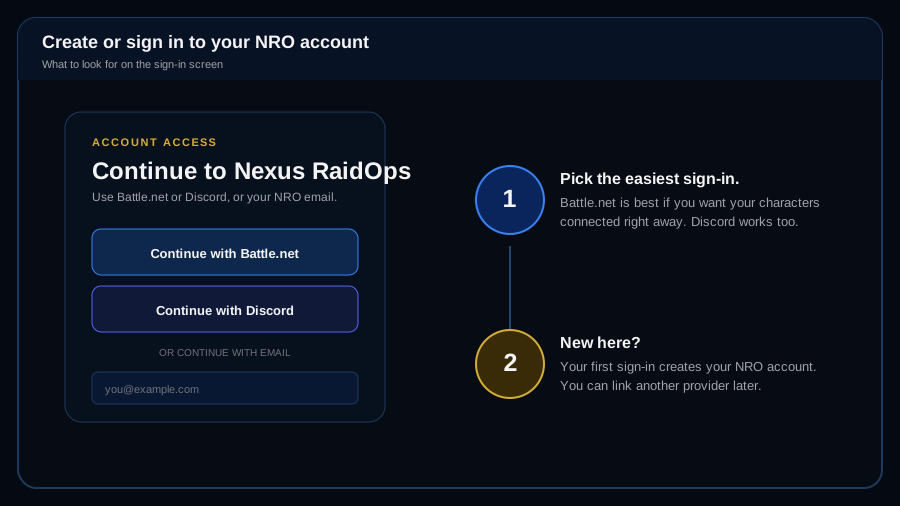
Open Nexus RaidOps and choose Battle.net, Discord, or email. Your first successful sign-in creates your NRO account. Battle.net is the easiest choice when you want your WoW characters connected right away.
Nexus RaidOps quick start
This guide uses plain English on purpose. Follow the steps in order the first time through. Once your Guild, Team, player identities, and roster are set up, future raid nights are mostly import, review, evaluate, and publish.
First-time setup
Open Nexus RaidOps and choose Battle.net, Discord, or email. Your first successful sign-in creates your NRO account. Battle.net is the easiest choice when you want your WoW characters connected right away.
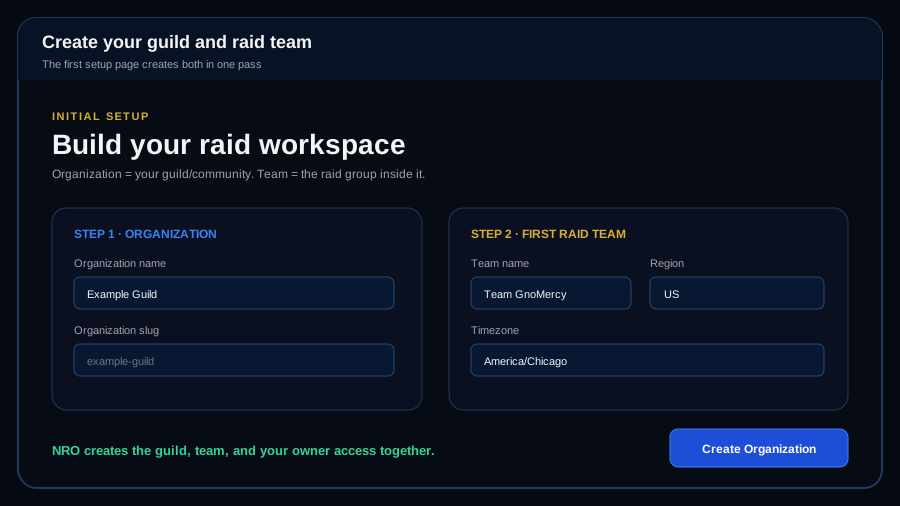
On Initial Setup, Organization means your guild or gaming community. First Raid Team means the raid group inside it. Pick the correct Warcraft region and the timezone your team uses, then create the Organization.
Open Team Roster and make sure each player is attached to the correct character. Fix any missing character or Team assignment before relying on raid analysis. You can add players manually, from Battle.net, from NRO, or from Guilds of WoW.
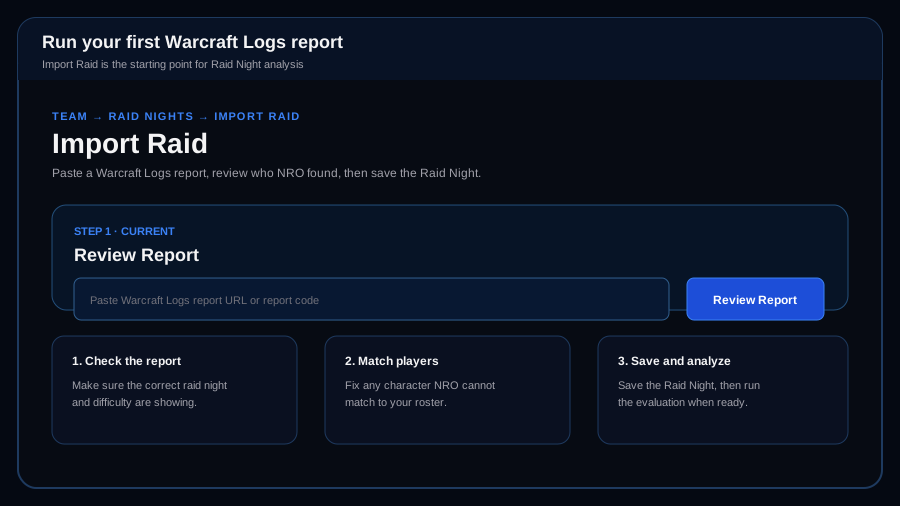
Go to Team > Raid Nights > Import Raid. Paste the Warcraft Logs report URL or report code and choose Review Report. Check that NRO found the right raid, difficulty, fights, and players. Resolve any unmatched player before saving the Raid Night.
After the Raid Night is saved, run or recalculate the evaluation. NRO processes the supported evidence and creates the player results. Review evidence warnings before leadership approval or publication.
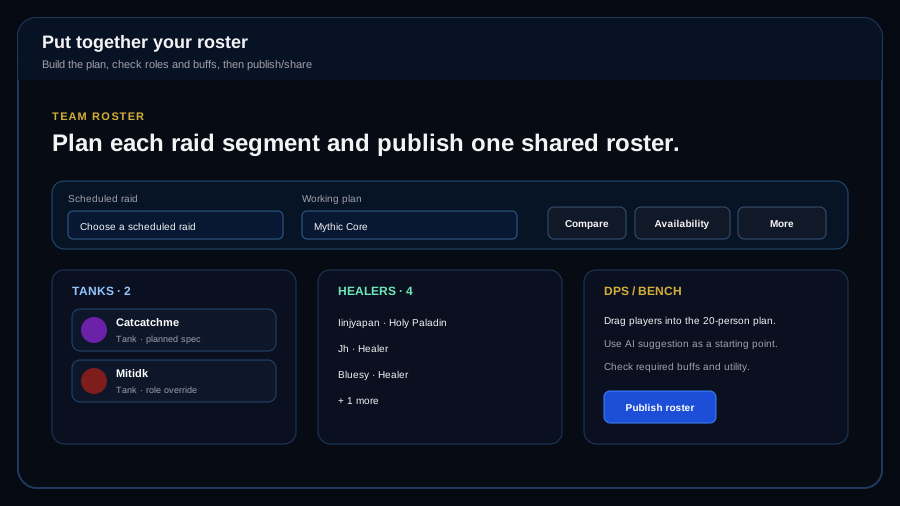
Open Team Roster. Choose the scheduled raid and working plan. Put players into Tank, Healer, DPS, or Bench, check required buffs and utility, adjust planned role/spec when needed, then publish or share the roster.
What the screens look like
These screen guides use the same labels as the live NRO pages so you can quickly tell that you are in the right place.
Plain-English scoring
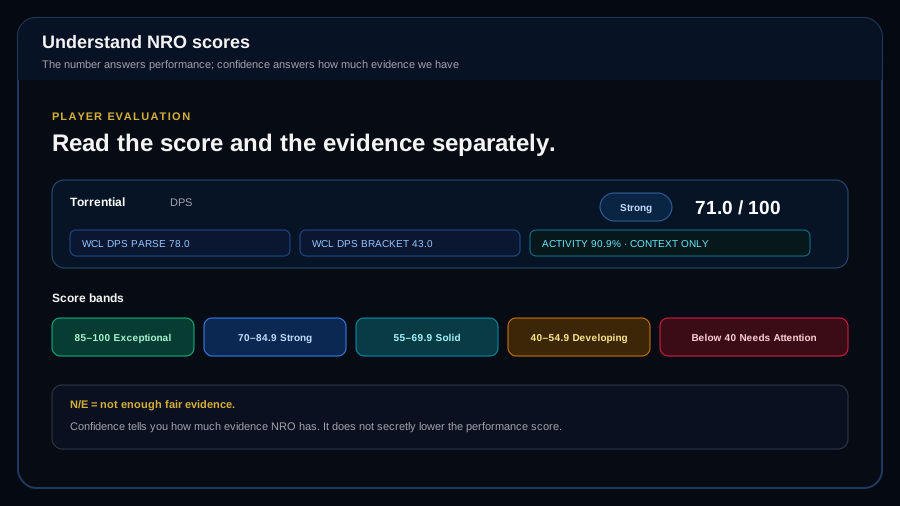
Do not read every NRO number as the same kind of score. Each category answers a different raid-leadership question. Confidence is shown separately. If the evidence is not strong enough to be fair, NRO should show N/E instead of making up a number.
How strong was the player at the combat job they were brought to do?
For DPS and healers, the current model is 80% Warcraft Logs overall role parse and 20% item-level bracket parse from the same included ranked kill. Raid-night activity stays visible as context but does not change the score.
Did the player use extra tools to help the raid?
NRO gives credit only for supported, player-owned contributions such as validated interrupts, dispels, crowd control, rescues, grips, externals, battle resurrections, movement support, and other approved utility. NRO does not invent a missed opportunity when the logs cannot prove one.
If we put this player in the same situation again, can we expect roughly the same result?
NRO compares like-for-like pulls on the same boss, difficulty, role, and observed spec. It measures repeatability in execution and supported output signals. It is not another raw performance ranking.
Did the player do the specific jobs the raid plan gave them?
Assignment score is earned assignment credit divided by possible assignment credit. Timing, importance, backup ownership, whether the job was actually possible, and defensive effectiveness can all matter.
Is the player's Mechanical execution improving, steady, or declining?
This is a trend visual, not another 0-100 score. NRO compares the current Mechanical result with the player's own prior Mechanical baseline at the same difficulty.
Of the validated mechanics the player had a fair chance to handle, how many did they handle correctly?
The formal score is successful validated opportunities divided by scored validated opportunities, multiplied by 100. At least three scored opportunities are required. Unavoidable, role-exempt, assignment-owned, ambiguous, or unsupported evidence stays out of the denominator.
Fix player identity problems first. A wrong character-to-player match can make later evidence look wrong.
Keep raid difficulties separate. Normal, Heroic, and Mythic should not be mixed when you are comparing player results.
N/E is not a zero. It means NRO does not have enough fair evidence for that category.
Review before publishing. Use the evidence breakdown when a number does not match what you saw in raid.